- April 18, 2025
Summarize with AI
Not enough time? Get the key points instantly.
Get summary:
Introduction
You have a wearable idea — a fitness tracker, a health monitor, a sports performance band. You've validated the concept. You may have investors asking about the timeline. Now you need to figure out how to actually build the hardware.
Most teams underestimate how different wearable development is from building a regular IoT device. The constraints compound: you need to be small, power-efficient, skin-safe, accurate, and robust enough to survive sweat, drops, and daily use — all at once. Getting any one of these wrong doesn't just delay your launch. It can bury the product entirely.
By the end of this guide, you'll know exactly how to develop a smart wearable band — which sensors to pick, how to choose your SoC, how to architect the firmware, and what the mobile app integration actually requires.
Why Wearable Development Breaks Teams That Have Built IoT Before
A team that's shipped a connected industrial device or a smart home product often approaches wearable development with too much confidence. The fundamentals look similar: embedded processor, sensors, wireless connectivity, mobile app. But the constraints are completely different.
Power is the hardest constraint. A smart wearable band typically runs on a 50–150 mAh lithium-polymer battery. At that capacity, every microamp of idle current matters. A peripheral that draws 1mA continuously will drain a 100 mAh battery in four days — before you've accounted for BLE advertising, sensor polling, display updates, or user interactions. Battery life targets of 5–7 days require architectural decisions at every layer of the stack.
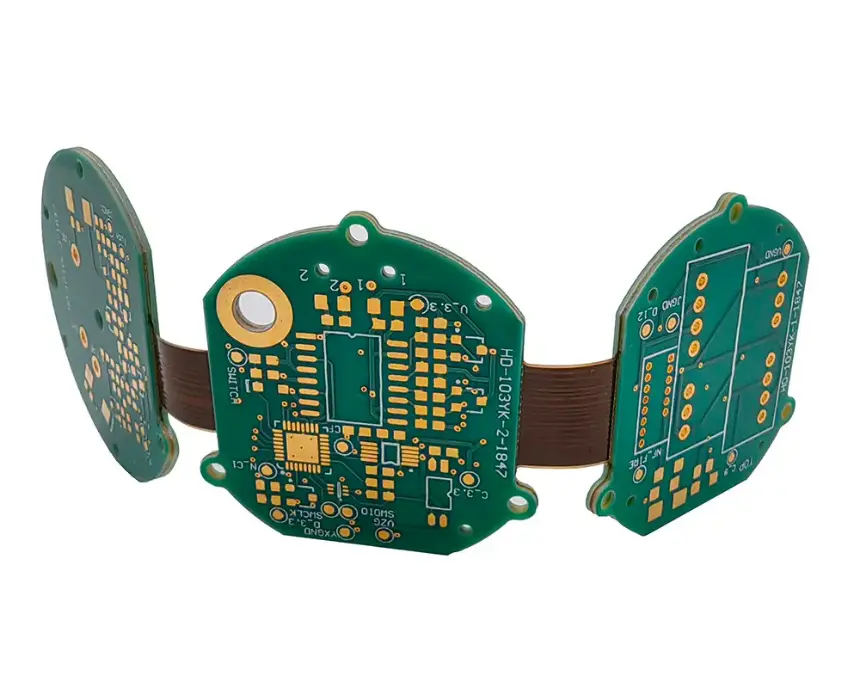
Form factor drives PCB design into difficult territory. A 15mm × 40mm flex PCB with a 2-layer stackup and sub-millimetre trace routing is not where you want to discover your first design mistake. Rigid-flex boards — used when the band itself needs to flex around the wrist — add cost and complexity. Component placement is constrained by the enclosure, not by what's optimal for signal integrity.
Certification adds real time to your schedule. BLE products require Bluetooth SIG qualification. Wearables sold in Europe need CE marking. If your band reads heart rate or blood oxygen (SpO2) and makes clinical claims, you enter medical device territory — FDA 510(k) or CE Class IIa. Budget 3–6 months and $15,000–$40,000 for regulatory work if you're going the medical route.
Most IoT teams don't realize how much these constraints interact. Fixing battery life often means reducing sensor sample rates — which can degrade measurement accuracy. Shrinking the PCB to fit the enclosure can put the optical heart rate sensor too close to switching regulators, introducing noise you'll spend weeks debugging.
If you're at the architecture stage of your wearable, CoreFragment's IoT product development team has navigated these trade-offs across fitness, healthcare, and pet wearable projects — and can help you avoid the expensive ones.
Choosing the Right Sensors for Your Smart Wearable Band
Your sensor selection defines your product's core value proposition. Pick the wrong sensor family and you'll fight inaccuracy, power draw, or form factor issues for the rest of the project.
Heart Rate & SpO2 (Optical — PPG)
The dominant approach is photoplethysmography (PPG): an LED shines light into the skin, a photodetector measures how much reflects back, and the signal encodes heart rate and blood oxygen saturation. The most widely used sensor families are the Maxim MAX30102 and Silicon Labs Si7021-adjacent optical sensors, as well as newer integrated solutions like the ams AS7026GG which combines PPG, SpO2, and ambient light in a single package.
Key trade-off: green LEDs penetrate less but give cleaner heart rate signals; red/IR combinations are needed for SpO2 but are more sensitive to motion artifacts. If your use case is continuous monitoring (not just on-demand readings), you'll need to invest heavily in signal processing firmware to filter motion artifacts from the raw PPG waveform.
Motion & Activity Tracking (IMU)
A 6-axis IMU — 3-axis accelerometer + 3-axis gyroscope — handles step counting, sleep stage detection, gesture recognition, and fall detection. The Bosch BMI270 is the standard choice for wearables: it has a dedicated wrist-wear mode, hardware step counter with pedometer logic running in low-power, and an on-chip motion interrupt engine that lets your main SoC sleep while the IMU does the work. The STMicro LSM6DSO is a solid alternative with a strong application note library.
Don't add a magnetometer unless your product requires heading or compass features. Magnetometers are sensitive to the metal bands and charging components typical in wearables and often cause more problems than they solve.
Temperature
Skin temperature sensors like the Maxim MAX30208 or TI TMP117 are increasingly common in wellness bands. Skin temperature is not core body temperature — the correlation between the two is non-trivial and depends heavily on sensor placement, ambient temperature, and skin contact pressure. If you're making clinical temperature claims, this needs clinical validation, not just sensor accuracy specs.
Sensor Selection Summary
Sensor Type | Recommended Part | Key Consideration |
|---|---|---|
Heart rate / SpO2 | Maxim MAX30102, ams AS7026GG | Motion artifact filtering in firmware |
6-axis IMU | Bosch BMI270, STMicro LSM6DSO | Use hardware step counter to save power |
Skin temperature | Maxim MAX30208, TI TMP117 | Placement affects accuracy significantly |
Barometric pressure (elevation) | Bosch BMP390 | Optional; useful for sport/altitude tracking |
Bioelectrical impedance (body comp) | TI AFE4900 | High power; reserve for premium tier |
Selecting Your SoC for Smart Wearable Band Development
Your SoC (System on Chip) choice determines your BLE stack, your power envelope, your available peripherals, and your firmware development environment. Change it after PCB design is finalized and you're starting over.
Nordic Semiconductor nRF52840 / nRF52833 are the dominant choices for BLE wearables. The nRF52 family offers proven BLE 5.x stacks, excellent power management (down to 1.5µA in System OFF with RAM retention), support for Bluetooth Mesh and ANT protocols, and Zephyr RTOS support. The nRF52833 is the leaner version — smaller package, lower power ceiling, good for cost-optimized production. Nordic's SDK and SoftDevice BLE stack are mature, well-documented, and widely supported.
STMicroelectronics STM32WB55 is a compelling alternative if you need dual-core architecture — an ARM Cortex-M4 for application logic and a Cortex-M0+ dedicated to the BLE stack. The separation keeps BLE timing deterministic regardless of what your application core is doing, which matters for products with complex UI or sensor fusion. The STM32WB also has hardware AES-256 and PKA crypto, relevant if you need strong on-device data security.
Dialog Semiconductor DA14585 / DA14695 (now Renesas) are worth considering for ultra-low-power use cases where BLE is only used for intermittent data sync rather than continuous streaming. The DA14585 can operate the BLE stack from a power budget that makes the nRF52 look power-hungry in certain duty cycles.
Avoid general-purpose application processors (like the ESP32) for primary wearable MCUs. The ESP32 was not designed for ultra-low-power operation — its sleep current and BLE stack power draw are incompatible with multi-day battery life on a 100 mAh cell. It works fine in devices that are always plugged in. Not here.
Firmware Architecture for a Smart Wearable Band Development
Wearable firmware is not one loop. It's a set of concurrent tasks with very different timing and power requirements, all coordinated by a scheduler that never lets the processor idle unnecessarily.
Power State Machine First
Design your power states before you write a single sensor driver. A production wearable firmware typically has four operational states:
Active: Display on, sensors polling at full rate, BLE connection active. High power. Time-bounded.
Connected Idle: Display off, sensors polling at reduced rate (step counter only), BLE connection maintained. Moderate power.
Disconnected Tracking: No BLE connection, sensors polling at low rate, data buffered in flash. Low power.
Deep Sleep: Wrist-off detection confirmed, all sensors off, BLE advertising suspended. Minimum power (~5–10µA).
Every state transition needs an explicit trigger (wrist gesture, button press, BLE connect event, timeout) and an explicit validation step before the transition completes. State machine bugs in wearable firmware typically manifest as mysterious battery drain — the device gets stuck in Active state with the display off and nobody notices until the user complains.
Sensor Fusion on the SoC
Raw sensor data is not useful data. Step count comes from applying a peak-detection algorithm to the accelerometer's magnitude vector. Heart rate comes from applying bandpass filtering and peak detection to the raw PPG waveform after subtracting motion artifacts estimated from the IMU. Sleep stage detection requires combining heart rate variability (HRV) with movement data and running a classifier.
None of this runs in the cloud. The latency would be unacceptable and the data volume would crush your BLE bandwidth budget. All sensor fusion runs on the SoC, which is why compute headroom matters when selecting your processor.
OTA Firmware Updates Are Non-Negotiable
A wearable that can't update its firmware in the field is a product with an expiry date. Build OTA from day one using BLE DFU (Device Firmware Update) — Nordic's SDK includes a production-ready BLE DFU bootloader. Use a dual-bank scheme: the new firmware downloads into the secondary bank while the current firmware keeps running, then swaps on next reboot after signature verification. If verification fails, the device boots the old firmware. Never deploy a wearable without tested rollback.
Mobile App Architecture for Smart Wearable Band Development: What the BLE Integration Actually Requires
The mobile app is the face of your wearable. Most teams underestimate how much of the wearable experience is determined by the app, not the hardware.
BLE Profile Design
Define your GATT profile — the set of services and characteristics your wearable exposes — before you finalize firmware. The app and firmware teams must agree on this contract upfront because changing it after both codebases are built is expensive.
For a fitness wearable, your profile typically includes:
Heart Rate Service (Bluetooth SIG standard profile 0x180D) — use the standard if you can; it enables compatibility with third-party apps and platforms
Device Information Service (0x180A) — firmware version, hardware revision, serial number
Custom Activity Service — step count, calories, sleep data, proprietary to your product
DFU Service — firmware update, locked to authenticated sessions only
Sync Architecture: Push vs. Pull
Decide upfront whether the band pushes data to the app continuously (notification-based) or the app pulls it periodically (read-based). Continuous notification makes sense for real-time heart rate during a workout session. Pull is more power-efficient for background data sync. Most production wearables use both: notifications during active use, batch pull during sync sessions.
Also design for sync gaps. The band stores data locally when the phone is out of range. When the connection re-establishes, the app requests all records since the last successful sync timestamp. If you don't build this, users who leave their phone at home during a run lose that data permanently.
iOS vs Android BLE Differences
BLE behaviour is not identical across platforms. Android's BLE stack has historically been less consistent across OEM implementations — connection stability, MTU negotiation, and background scanning behaviour vary by device manufacturer and Android version. iOS is more consistent but has stricter background mode restrictions for BLE. If your app needs to sync data while backgrounded, you'll need to use Core Bluetooth's CBCentralManager with state preservation and restoration on iOS, and handle background BLE scanning carefully on Android to avoid battery restrictions.
Test on real devices — at least 5 distinct Android models and 2–3 iOS generations — before declaring your BLE integration stable.
Smart Wearable Band Development: Decision Checklist
Use this before committing to any architecture decisions:
Battery capacity vs. target battery life: Run a back-of-envelope current budget before finalizing your sensor list. If your sensors + SoC + display + BLE adds up to more than capacity ÷ (target days × 24h), you have a problem before writing a line of code.
SoC selected before PCB layout begins: BLE chip, package size, and antenna placement directly affect PCB dimensions and RF performance.
PPG sensor placement validated on a physical mockup: Optical heart rate sensors are sensitive to ambient light leakage, band pressure, and proximity to metallic components. Test placement on a physical prototype, not just a schematic.
GATT profile agreed between firmware and app teams: Treat this as a contract. Version it. Don't change it without a migration plan.
OTA DFU implemented before first production build: You will need to push firmware updates. Building OTA after launch is much harder than building it first.
Power state machine designed before sensor driver implementation: Retrofitting low-power states after the fact almost never produces the battery life you modelled.
Certification pathway identified: BLE SIG qualification minimum. CE marking for Europe. FDA/CE medical path if making clinical claims. Know your path before you finalise the hardware design.
Sync-gap handling designed in the data model: What happens to band data when the phone is unreachable for 48 hours? Design for this before it becomes a customer complaint.
Conclusion
Developing a smart wearable band is a systems engineering problem. The sensors, SoC, firmware architecture, and mobile app are not independent decisions — each one constrains the others. Get the power budget wrong and no amount of firmware optimization will save you. Lock the GATT profile too late and you'll spend weeks on rework between firmware and app teams.
The teams that ship good wearables are the ones that model their power budget before they pick components, design their firmware state machine before they write sensor drivers, and define the BLE profile before either codebase is written.
If you're planning a smart wearable band and want to validate your architecture before committing to hardware — CoreFragment's hardware and firmware team has built wearable products across fitness, healthcare, and pet tracking categories. We can review your sensor selection, SoC choice, and power budget and tell you where the risks are before they become schedule problems.
Explore CoreFragment's wearable product development work →
Author
Have Something on Your Mind? Contact Us : info@corefragment.com or +91 79 4007 1108

Related articles
_title.webp)