- July 11, 2025
Summarize with AI
Not enough time? Get the key points instantly.
Get summary:
Why Choosing Right IoT Protocol is Important?
You've scoped the hardware. The MCU is chosen. The form factor is locked. You've shortlisted the IoT communication protocols that might work. Now someone asks: "Which one are we actually using?"
Most teams answer that question based on what they've used before, what the reference design shows, or what the cheapest module supports. That's how you end up with a BLE device that drops connections in a crowded 2.4GHz environment, or a Wi-Fi product that burns through a coin cell in four hours instead of four months.
IoT communication protocol selection isn't a checkbox. It's one of the three decisions you cannot easily reverse after hardware is locked: MCU choice, power architecture, and protocol. Get it wrong and you're looking at a board respin, a new antenna design, or a certification process that starts over from scratch. This post walks you through the 5 criteria that actually separate the right IoT wireless protocol selection from the expensive mistake so you can lock the decision with confidence before your hardware does.
Why Most IoT Protocol Guides Get It Wrong
Search "IoT communication protocols" and you'll find the same IoT protocols comparison repeated across a hundred blogs: a table listing BLE, Wi-Fi, Zigbee, LoRa, and NB-IoT with columns for range, frequency, and data rate. That table is accurate. It's also nearly useless for making a real engineering decision.
The problem is that IoT communication protocols don't fail on spec. They fail on fit. A protocol with excellent range, low power, and proven certification can still be the wrong choice for your specific product. The reason is usually network topology, cloud architecture, regulatory environment, or the power budget of a component three layers up the stack.
The 5 criteria below are the ones that change your answer. Not the spec sheet. Not the frequency band chart. The decisions your product has to live with after it ships.
Criterion 1: Power Budget - Not Just the Radio, the Whole System
Power consumption is the most misread criterion in IoT protocol selection. Engineers look at the radio's peak transmit current and call it done. That's the wrong number.
What actually matters is the energy cost per data exchange: the total charge drawn from the battery from the moment the radio wakes up to the moment it goes back to sleep. That number includes radio wake-up time, stack initialization, connection establishment, data transfer, acknowledgment, and shutdown. For protocols with connection overhead, those non-transfer phases can dwarf the actual transmission cost.
Protocol | Typical Radio Tx Current | Connection overhead | Realistic Duty Cycle | Best For |
|---|---|---|---|---|
BLE 5.x (advertising) | 5–10 mA | Very low | 0.1–1% | Beacons, sensors sending <1KB |
BLE 5.x (connected) | 5–10 mA | Low–Medium | 1–5% | Wearables, short burst data |
Wi-Fi (active) | 60–200 mA | High (DHCP, TCP) | 5–30% | Cameras, high-throughput devices |
Zigbee | 15–30 mA | Low (mesh join) | 1–3% | Home automation, mesh sensors |
LoRa | 20–40 mA | Very low | <0.1% (duty cycle limited) | Remote sensors, LPWAN |
NB-IoT | 100–200 mA | Medium (PSM/eDRX) | <1% (PSM) | Utility meters, asset tracking |
Thread | 15–25 mA | Low (mesh) | 1–3% | Smart home, IPv6 mesh |
The right question is not "which radio draws the least current during transmit?" It's "given my data payload size, send frequency, and battery capacity, which protocol keeps the device alive for the required service life?"
For a coin-cell-powered sensor sending 20 bytes every 15 minutes, LoRa or BLE advertising wins. For a battery-powered camera sending a 2MB image on motion detection, neither does. That's a different conversation about duty cycling and deep sleep architecture.
Criterion 2: Range and Environment - What the Datasheet Range Means in Practice
Criterion 2 covers one of the most misread factors in IoT communication protocols: range. And the LoRa vs NB-IoT debate is exactly where most engineers first feel it.
Datasheets quote line-of-sight range in an open field. Your product will almost never operate in an open field.
Indoor environments reduce effective range by 60–80% depending on wall material, interference sources, and device placement. A BLE module rated for 100m in open air delivers 10–20m through two concrete walls. Wi-Fi rated for 150m indoors performs at 30m in a warehouse with metal shelving. These are not failures. They are physics.
What changes your real-world range calculation:
Wall material. Concrete and rebar attenuate 2.4GHz signals by 10–15dB per wall. Glass is nearly transparent. Metal reflects, which creates multipath interference more than it blocks signal.
Device placement. An antenna placed flush against a metal enclosure loses 6–10dB before the signal leaves the product. Antenna placement and ground plane design matter as much as the protocol's theoretical range.
Competing traffic. The 2.4GHz band carries Wi-Fi, BLE, Zigbee, microwave ovens, and baby monitors. In a dense residential or industrial environment, effective range drops further and retransmission rates increase.
Network topology. A star topology (every device connects directly to a gateway) is limited by the weakest link. A mesh topology (devices relay through each other) extends range at the cost of latency and complexity.
Protocol | Open-Air Range | Typical Indoor Range | Topology | Frequency |
|---|---|---|---|---|
BLE 5.x | Up to 400m | 10–30m | Star / Mesh (BLE Mesh) | 2.4GHz |
Wi-Fi | Up to 150m | 20–50m | Star | 2.4GHz / 5GHz |
Zigbee | 10–100m | 10–30m per hop | Mesh | 2.4GHz |
Z-Wave | Up to 100m | 30–40m per hop | Mesh | 908MHz (US) / 868MHz (EU) |
LoRa | Up to 15km | 1–3km urban | Star | 868/915MHz |
NB-IoT | Up to 15km | Deep indoor penetration | Star (cellular) | Licensed cellular bands |
Thread | 10–30m | 10–20m per hop | Mesh (IPv6) | 2.4GHz |
The general rule: protocols operating below 1GHz (LoRa, Z-Wave, NB-IoT, LTE-M) penetrate walls and obstacles more effectively than 2.4GHz protocols, because lower frequency signals diffract around obstacles rather than reflecting off them. If your product operates in industrial buildings, underground, or in dense urban deployments, frequency band selection is as important as the protocol itself.
Criterion 3: Data Rate and Payload - How Much You're Sending, and How Often
IoT products are not data-hungry by default. Most sensors send bytes, not megabytes. But the data rate ceiling of your chosen protocol determines what your product can and cannot do. Changing that after hardware is locked means a new radio, new antenna, and potentially new certification.
The spectrum runs from protocols designed for tiny, infrequent payloads to protocols that handle continuous high-throughput streams:
Low data rate (LoRa, NB-IoT, Sigfox): Designed for sending small sensor readings: temperature, GPS coordinates, binary state, every few minutes to several hours. LoRa limits practical payload size to 51–222 bytes depending on spreading factor and regional regulations. NB-IoT supports larger payloads but is duty-cycle limited. Neither is suitable for audio, video, or frequent firmware OTA updates.
Mid data rate (BLE, Zigbee, Z-Wave, Thread): Suited for sensor telemetry, configuration commands, and short OTA updates. BLE 5.x reaches 2Mbps in coded mode, fast enough for small firmware patches. Zigbee and Thread top out at 250Kbps, workable for home automation payloads but slow for OTA at scale.
High data rate (Wi-Fi, LTE-M): Needed for camera feeds, audio streaming, large OTA updates, or products that send data continuously. Wi-Fi 802.11n delivers 150Mbps+ which is why it's the default for anything with a display or camera. LTE-M supports up to 1Mbps with broader geographic reach than Wi-Fi.
The mistake engineers make is choosing a low-power, low-data-rate protocol and then adding requirements that the protocol cannot efficiently support: OTA firmware updates, remote configuration, debug logging. Budget your data rate requirement before locking the protocol. Include OTA update payload size. Include your worst-case telemetry frequency. Then add 30% headroom.
Criterion 4: Network Architecture - Who Manages the Connection, and Where Does the Data Go
This is the criterion most datasheets ignore entirely — and it shapes your IoT communication protocols decision as much as radio performance does.
The MQTT vs HTTP IoT question sits exactly here. MQTT and HTTP are not radio protocols. They are application-layer choices that determine your cloud architecture, your message queue design, and your backend latency profile. And you cannot separate that choice from the radio protocol underneath it.
IoT communication protocols don't operate in isolation. They connect to gateways, cloud platforms, mobile apps, or each other. The protocol you choose determines the network architecture you're committing to, and that architecture determines your BOM cost, your infrastructure dependency, and how difficult your product is to operate in the field.
Star topology (BLE, Wi-Fi, NB-IoT, LTE-M): Every device connects directly to a single hub or gateway. Simple to implement. Easy to debug. Fails when the hub fails. Range is limited to a single hop. For products sold to consumers who already have a Wi-Fi router or smartphone, this is often the right answer.
Mesh topology (Zigbee, Z-Wave, Thread, BLE Mesh): Devices route packets through each other, extending range and adding redundancy. More complex to commission. Latency increases with hop count. Network formation takes time on power-up. For industrial or smart building deployments where gateway placement is constrained, mesh earns its complexity.
Cellular (NB-IoT, LTE-M): No gateway required. The device connects directly to the cellular network and from there to the internet. Higher per-device cost (SIM, cellular module, data plan). Excellent for remote or mobile deployments where Wi-Fi infrastructure doesn't exist. Works anywhere with cellular coverage.
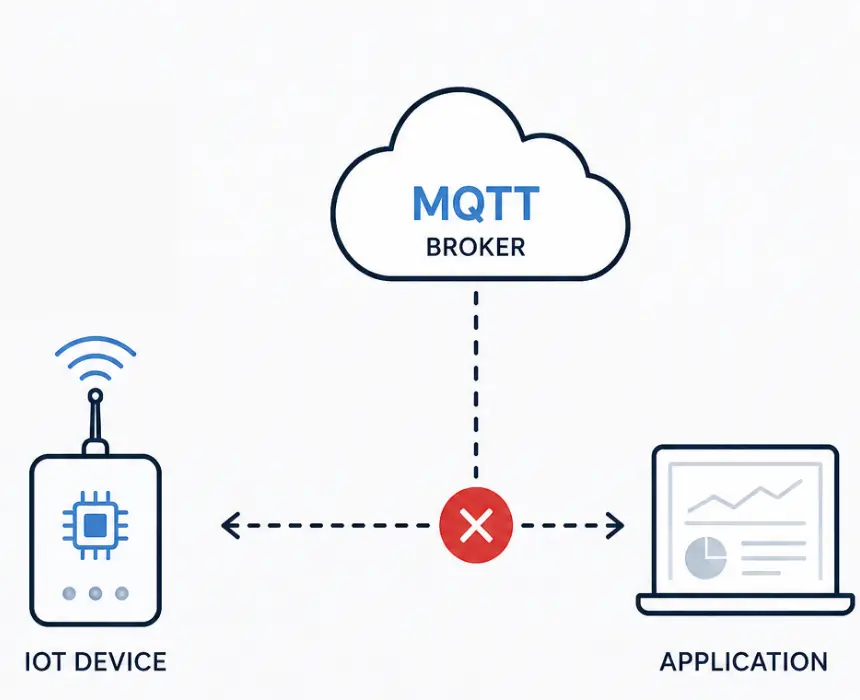
Broker-based (MQTT, AMQP): Not radio protocols. These are application-layer messaging protocols that ride on top of TCP/IP. MQTT runs over Wi-Fi or cellular. It's worth including here because your choice of application protocol shapes your cloud architecture, your message queue design, and your backend latency profile. For industrial IoT, OPC-UA adds semantic data modeling on top of transport, which changes how data is interpreted by SCADA systems.
Architecture | Gateway Needed | Infrastructure Dependency | Deployment Complexity | Best Fit |
|---|---|---|---|---|
Star (BLE/Wi-Fi) | Yes (phone or router) | High | Low | Consumer IoT |
Mesh (Zigbee/Thread) | Yes (coordinator) | Medium | Medium | Smart buildings, industrial |
Cellular (NB-IoT/LTE-M) | No | Low (SIM only) | Low-Medium | Remote, mobile, utility |
LPWAN (LoRa) | Yes (LoRaWAN gateway) | Medium (gateway placement) | Medium | Agriculture, smart city |
The network architecture question also determines who owns the failure. In a star BLE architecture, if the smartphone app loses connection, the device stops reporting. In a cellular architecture, you own the SIM contract and the data cost. In a mesh architecture, you own the gateway commissioning process and the neighbor-routing tables. None of these is wrong. All of them are commitments.
Criterion 5: Certification and Regulatory Compliance - The Cost Nobody Budgets For
This is the criterion that most first-time hardware teams discover too late.
Every wireless protocol requires regulatory certification before your product can legally ship. The specific certifications depend on the frequency band, the region, and the protocol. Getting this wrong delays launch. Changing the radio after product development is complete means recertifying from scratch.
The practical breakdown:
FCC (USA) and CE (Europe): Required for any wireless device sold in North America and Europe. Certified radio modules (Nordic Semiconductor nRF52840, u-blox NINA series, Silicon Labs EFR32) carry pre-certified RF front ends, which dramatically reduces your certification burden. If you use a pre-certified module and don't modify the antenna design, you can often get modular FCC/CE approval instead of a full ID. Faster and cheaper.
Zigbee, Z-Wave, Thread, Matter certification: These protocols have their own alliance certification programs on top of FCC/CE. Zigbee Alliance certification, Z-Wave certification, and Matter certification each require interoperability testing that adds 4–12 weeks and significant cost. For products targeting the smart home market, Matter certification is increasingly a customer expectation, but it adds process.
Cellular (NB-IoT, LTE-M): Requires carrier certification in each market, in addition to FCC/CE. Qualifying on a new carrier network can take 6–18 weeks. This is frequently the longest lead-time item in the entire product development schedule for cellular IoT products.
LoRa/LoRaWAN: FCC/CE covers the radio. LoRa Alliance certification covers the stack conformance. Regional frequency plan compliance (868MHz EU, 915MHz US) must be explicitly handled in firmware. Duty cycle limits in the EU are regulatory, not optional.
Protocol | Certifications Required | Typical Timeline | Cost Driver |
|---|---|---|---|
BLE (module) | FCC/CE (modular), BT SIG | 4–8 weeks | Antenna design changes void modular cert |
Wi-Fi (module) | FCC/CE (modular), Wi-Fi Alliance | 4–8 weeks | Same as BLE |
Zigbee | FCC/CE + Zigbee Alliance | 8–16 weeks | Interoperability testing adds time |
Matter | FCC/CE + Matter certification | 12–20 weeks | Newer process; still maturing |
NB-IoT / LTE-M | FCC/CE + carrier qualification | 12–24 weeks | Carrier approval is the long pole |
LoRa (LoRaWAN) | FCC/CE + LoRa Alliance | 6–12 weeks | Regional frequency compliance in firmware |
The decision rule: if your product has a hard launch date, work backward from certification completion. For cellular products, that means starting carrier qualification the moment your firmware is stable enough to submit. Not when product development is "done."
The 5-Criteria Decision Framework: Applying It to Real Products
Most IoT products fall into one of five deployment patterns. Here's how the criteria resolve for each:
Product Type | Power Constraint | Range Need | Data Rate | Network Arch | Cert Priority | Recommended Start Point |
|---|---|---|---|---|---|---|
Wearable / health sensor | Critical (coin cell) | Short (BLE to phone) | Low (<1KB bursts) | Star (phone gateway) | BT SIG + FCC/CE | BLE 5.x |
Smart home device | Low (mains powered) | Medium (whole home) | Low–mid | Mesh or star | Matter / Zigbee | Thread or Zigbee |
Industrial sensor | Medium (battery, 5yr) | Long (factory floor) | Low (telemetry) | Mesh or cellular | FCC/CE + OPC-UA | LoRa or NB-IoT |
Asset tracker (outdoor) | High (battery, mobile) | Very long (global) | Low–mid | Cellular | FCC/CE + carrier | LTE-M or NB-IoT |
Smart camera / display | None (mains) | Short–medium | High (video/OTA) | Star (Wi-Fi) | FCC/CE + Wi-Fi Alliance | Wi-Fi 802.11n/ac |
This table is a starting point, not a verdict. Products rarely fit cleanly into one row. A smart home device that also needs cloud OTA updates at scale shifts toward Thread or Wi-Fi. An industrial sensor with a 10-year battery life requirement shifts toward LoRa with aggressive duty cycling. The criteria exist to structure the conversation, not to replace it.
Common Questions About Choosing IoT Communication Protocols
What is the most commonly used IoT communication protocol?
MQTT is the most widely used application-layer protocol for IoT, particularly for cloud-connected devices. At the radio layer, BLE and Wi-Fi dominate consumer IoT products, while LoRa and NB-IoT lead in industrial and utility deployments. The right answer depends on your product's power budget, range requirement, and network architecture — there is no single universal choice.
How do I choose between BLE and Wi-Fi for an IoT product?
Choose BLE when the device is battery-powered, sends small data payloads infrequently, and connects to a smartphone or BLE gateway. Choose Wi-Fi when the device is mains-powered, sends large payloads (images, audio, firmware updates), or needs direct internet access without a phone as intermediary. The power difference at typical duty cycles is 10–20x in favor of BLE. If your battery life requirement is more than a few weeks, Wi-Fi requires careful deep-sleep architecture to remain viable.
What is the difference between LoRa and NB-IoT for long-range IoT?
LoRa uses unlicensed spectrum and requires you to deploy or connect to a LoRaWAN gateway. NB-IoT uses licensed cellular spectrum and connects directly to carrier infrastructure — no gateway needed. LoRa gives you more control over your network and lower per-device cost, but requires gateway deployment. NB-IoT gives you immediate geographic coverage anywhere there is cellular network support, at higher module and data plan cost. For remote deployments where cellular coverage exists, NB-IoT is usually simpler. For private deployments where you control the infrastructure, LoRa is often cheaper at scale.
Does choosing the wrong IoT protocol require a full board respin?
Not always, but often. If the protocol change requires a different radio module, the antenna design changes. Antenna changes affect board layout, ground plane, keep-out zones, and regulatory certification. For products where the radio is a discrete module on a carrier board, swapping modules is possible but still triggers re-certification. For products with an integrated SoC (like the Nordic nRF52 or Silicon Labs EFR32), changing the protocol may be a firmware change only, as long as both protocols are supported by the same chip. The earlier the protocol decision is made in the development process, the lower the cost of changing it.
What IoT protocol should I use for a medical device?
Medical device protocol selection adds regulatory constraints on top of the standard criteria. The device must comply with IEC 60601-1-2 for electromagnetic compatibility, which affects radio selection, antenna placement, and conducted emissions testing. BLE is the dominant protocol for consumer health devices (glucose monitors, pulse oximeters, wearables) because of the existing smartphone ecosystem and the maturity of BLE health profiles (HRS, GLS, CGMS). For clinical-grade connected devices transmitting to hospital infrastructure, proprietary 2.4GHz protocols or Wi-Fi with WPA2/3 enterprise security are more common. Engage your regulatory consultant before locking the protocol on any FDA-regulated device.
How does the Matter protocol change IoT product development?
Matter is an application-layer protocol built on top of Thread (for mesh devices) or Wi-Fi/Ethernet (for bridged devices). It standardizes device commissioning, discovery, and control across Apple, Google, Amazon, and SmartThings ecosystems. For manufacturers, Matter certification adds 12–20 weeks to the development timeline but removes the need to build separate integrations for each platform. For products targeting the broad consumer smart home market, Matter is increasingly the expected baseline. For industrial, medical, or enterprise IoT products, Matter is rarely relevant - those markets have their own protocol stacks (OPC-UA, MQTT, FHIR).
Start With the Constraint That Has No Flexibility
The fastest way to apply these five criteria to your product is to start with the constraint you cannot change.
If the device is battery-powered and the battery size is fixed by the form factor, power budget is your first filter. It will eliminate half the table immediately. If the product must reach a device 5km away with no gateway infrastructure, range eliminates everything except LoRa and cellular. If the launch date is fixed and cellular carrier qualification takes 6 months, certification eliminates NB-IoT unless you started the process already.
Work backward from the constraint with no flexibility. The protocol that survives all five filters is the right one. The one that fails even one filter non-negotiably will cost you a board respin, a certification restart, or a product that doesn't meet its design life.
If you're working on an IoT product and want a second opinion on protocol selection before your hardware gets locked, CoreFragment's engineering team has made this decision across wearables, medical devices, industrial sensors, and connected appliances. Share your product requirements and the team will tell you exactly where the trade-offs land for your specific case.
The fastest way to apply these five criteria to your product is to start with the constraint you cannot change.
If the device is battery-powered and the battery size is fixed by the form factor, power budget is your first filter. It will eliminate half the table immediately. If the product must reach a device 5km away with no gateway infrastructure, range eliminates everything except LoRa and cellular. If the launch date is fixed and cellular carrier qualification takes 6 months, certification eliminates NB-IoT unless you started the process already.
Work backward from the constraint with no flexibility. The protocol that survives all five filters is the right one. The one that fails even one filter non-negotiably will cost you a board respin, a certification restart, or a product that doesn't meet its design life.
If you're working on an IoT product and want a second opinion on protocol selection before your hardware gets locked, CoreFragment's engineering team has made this decision across wearables, medical devices, industrial sensors, and connected appliances. Share your product requirements and the team will tell you exactly where the trade-offs land for your specific case.
Author
Have Something on Your Mind? Contact Us : info@corefragment.com or +91 79 4007 1108

Related articles