- November 02, 2026
Summarize with AI
Not enough time? Get the key points instantly.
Get summary:
Why Choosing Right Microcontroller is Important to Deploy ML Models
Your data scientist hands over a model that scores 94% on the laptop. It is a 12 MB Keras file. Your target board has a Cortex-M4 with 256 KB of RAM and 1 MB of flash. Getting from one to the other is the real work of running machine learning models on microcontrollers.
Pick the wrong path and you lose months shrinking a model that never fits. Or you retreat to a Linux processor that doubles your BOM and kills battery life.
By the end of this post, you will know how to size the task, pick the chip, shrink the model, and get inference running on real firmware.
Why Most Models Break When They Meet a Microcontroller
Machine learning on microcontrollers fails for one reason more than any other: teams treat it as a model problem when it is a budget problem. Every deployment has to fit three budgets at once.
Flash: holds the model weights plus your firmware, runtime, and bootloader.
RAM: holds the activations, which are the intermediate tensors produced layer by layer. Peak RAM depends on the two largest neighbouring layers, not the whole model.
Compute and energy: sets inference latency and how long a battery lasts.
Call it the three-budget problem. A model can pass two budgets and still fail the third. A small audio classifier may fit in 60 KB of flash. Its first convolution layer can still need more RAM than the chip has left after your RTOS and buffers.
A laptop hides all three budgets, so desktop accuracy tells you almost nothing about deployability. Measure the budgets first, and the rest of the project becomes engineering instead of guesswork.
Size the Task Before You Pick the Chip
Machine learning models on microcontrollers range from a few kilobytes to a few hundred, depending on the task. The MLPerf Tiny benchmark suite gives useful reference points for what a realistic embedded machine learning model weighs:
Task | Reference model | Model size (int8) | Typical input |
|---|---|---|---|
Keyword spotting | DS-CNN | 52.5 KB | 1 s of audio as 49×10 features |
Anomaly detection | Fully connected autoencoder | 270 KB | Machine sound spectrogram slices |
Image classification | Small ResNet | 96 KB | 32×32 colour image |
Person detection | MobileNetV1 (0.25 width) | 325 KB | 96×96 image |
For most sensor and audio products, a Cortex-M4F or M7 is the right starting point, because it handles these models in tens of milliseconds without an accelerator. Move to an MCU with an NPU only when camera input is part of the product.
One more lever matters before you choose a chip. Feature extraction often beats a bigger network. An FFT or MFCC (a compact audio fingerprint) front end can shrink the input by 10× or more, which shrinks every layer after it.
Shrink the Model With Quantization and Smarter Layers
Model quantization is the single most effective step for fitting machine learning models on microcontrollers. Converting 32-bit float weights to 8-bit integers cuts model size by 4×. Google's quantization whitepaper reports post-training int8 accuracy within 2% of float for a wide range of CNNs. Quantization-aware training narrows the gap to 1%. The paper also measured a 2–3× CPU speedup.
Technique | Size reduction | Accuracy risk | Effort |
|---|---|---|---|
Post-training int8 quantization | About 4× | Low for most CNNs; check per class | Hours |
Quantization-aware training | About 4× | Lowest of the int8 options | Days; needs the training pipeline |
Depthwise-separable layers | Often several times fewer operations | Low if designed in from the start | Requires retraining |
Unstructured pruning | Little real gain on an MCU | Medium | Days, often wasted |
Unstructured pruning disappoints on microcontrollers because most runtimes still store and multiply the zeros. Spend that effort on architecture instead.
A few rules keep quantization from breaking ML models on microcontrollers in the field:
Calibrate with a few hundred real samples from the target sensor, not the clean training set.
Use full integer quantization, inputs and outputs included, because a single float layer forces slow software emulation on cores without an FPU.
Check every operator against your runtime's supported list before training, not after.
Compare accuracy per class, because a 1% average drop can hide a 15% drop on the class that matters.
Choose the Runtime for Machine Learning on Microcontrollers
The runtime is what actually executes machine learning models on microcontrollers, turning your quantized file into optimized kernel calls. Three options cover most commercial projects:
Option | How it works | Best fit |
|---|---|---|
LiteRT for Microcontrollers (formerly TensorFlow Lite Micro) | Interpreter that loads a | Portable firmware across vendors and cores |
ST Edge AI tools (successor to X-CUBE-AI) | Converts Keras, TFLite, or ONNX models into optimized C code with per-layer memory and timing reports | STM32-based products, including the STM32N6 NPU |
Edge Impulse (owned by Qualcomm since 2025) | Hosted platform covering data capture, training, and C++ library export | Teams without in-house ML infrastructure |
Pick LiteRT for Microcontrollers when the product line spans several MCU vendors, because one model format then runs everywhere. Pick ST's tools when you have committed to STM32, because the generated code and layer-by-layer profiling save days of tuning. Pick Edge Impulse to reach a working proof of concept fastest, then review the export before production.
Deploy and Run Machine Learning Models on Microcontrollers
Deployment follows the same sequence on almost every project:
Convert the trained model to a fully int8
.tflitefile.Embed it as a C array in flash, so the firmware needs no file system.
Register only the operators you use, because each extra kernel costs flash.
Size the tensor arena, the single RAM block that holds all activations. Start large, run once, then trim to the measured value plus a margin.
Match preprocessing exactly. Scaling, windowing, and feature extraction must be identical to training.
Measure on hardware. Time inference with the DWT cycle counter and log the arena size actually used.
Validate on-device accuracy against the desktop model on the same test set.
Steps 3 and 4 look like this with LiteRT for Microcontrollers:
#include "tensorflow/lite/micro/micro_interpreter.h"#include "tensorflow/lite/micro/micro_mutable_op_resolver.h"#include "model_data.h" // int8 model stored as a C array in flashconstexpr int kArenaSize = 60 * 1024; // start high, trim after measuringalignas(16) static uint8_t tensor_arena[kArenaSize];static tflite::MicroMutableOpResolver<4> resolver;resolver.AddConv2D();resolver.AddDepthwiseConv2D();resolver.AddFullyConnected();resolver.AddSoftmax();static tflite::MicroInterpreter interpreter( tflite::GetModel(g_model_data), resolver, tensor_arena, kArenaSize);interpreter.AllocateTensors();// After the first Invoke(), interpreter.arena_used_bytes() gives the real figure.Step 5 causes more field failures than any other. On-device accuracy collapses when firmware computes features differently from the Python training code. A different window, scale, or sample rate is enough. Generate a test vector in Python, run it through the firmware pipeline, and compare outputs value by value.
Inside the firmware, give inference its own task under a real-time operating system, and let DMA fill sensor buffers in the background. Our guide to choosing a real-time operating system for embedded devices covers how to structure those tasks and priorities.
Decide Where Your Model Should Run
Use this checklist before committing hardware:
Model size: under about 1 MB as int8? An MCU can hold it. Larger models point to an NPU-class MCU or an MPU.
Peak activation RAM: under half the free SRAM? Good. Above that, redesign the early layers or move up a tier.
Latency: need results in under 100 ms without a network? Local inference is the only option.
Power: battery or energy harvesting? An MCU that sleeps between inferences wins by a wide margin.
Update frequency: retraining weekly? Plan OTA model updates from day one.
Where it runs | Choose it when | Trade-off |
|---|---|---|
Microcontroller | Sensor, audio, or small vision tasks on battery | Tight memory; int8 models only |
Linux processor (MPU) | Large vision models, several cameras, Python on device | Higher BOM, power, and boot time |
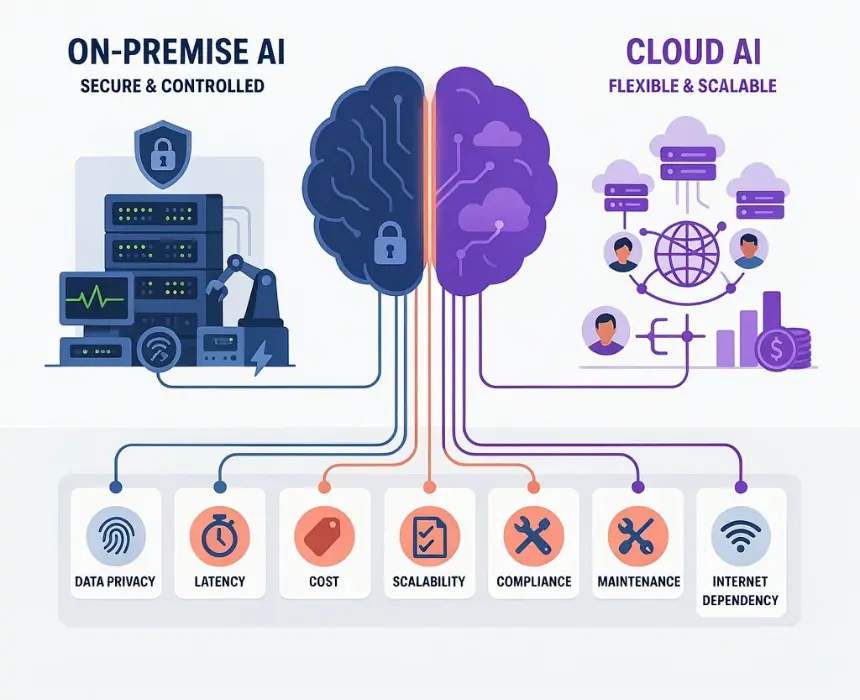
Cloud | Large models, heavy retraining, intermittent use | Latency, connectivity cost, privacy exposure |
If your answers point to the first row, edge AI on the MCU will beat both alternatives on cost and battery life. Running machine learning models on microcontrollers pays off most when the device must decide locally, instantly, and for years on one battery.
Make Your First On-Device Model Count
Machine learning models on microcontrollers succeed when you design for the three budgets from the first experiment. Retrofitting them after training rarely works. Start with the smallest task that proves value, quantize early, and measure on real hardware every week. Planning an embedded AI product and need one team for model optimization, firmware, and hardware? CoreFragment can review your model and target MCU and tell you what fits. Explore our AI product development services for how we take on-device AI from prototype to production.
Author
Have Something on Your Mind? Contact Us : info@corefragment.com or +91 79 4007 1108

Related articles