- March 16, 2026
Summarize with AI
Not enough time? Get the key points instantly.
Get summary:
Why IoT Connectivity failures Understanding is Important?
A device that works perfectly on the bench goes silent in the field. This is the most common and most avoidable failure in IoT deployments.
IoT connectivity rarely fails randomly. It fails for a handful of predictable reasons: interference, power, network congestion, or a firmware bug that only shows up under real conditions. Most teams find out which one after devices are already deployed.
This post breaks down why IoT connectivity drops off, how to design around it so devices survive the field instead of just the bench, and where platform choice fits into the picture.
Why IoT Connectivity Drops Off in the Field
Failures cluster into four categories. Most field issues trace back to one of these.
Signal & Environmental Interference
The physical environment does more damage to signal quality than most spec sheets account for.
Metal enclosures, concrete walls, and dense equipment attenuate RF signal far more than a lab test predicts.
Multiple 2.4GHz devices on one factory floor - Wi-Fi, BLE, Zigbee - compete for the same spectrum and cause intermittent packet loss.
Outdoor deployments face weather, foliage growth over a season, and physical obstructions that weren't there during the site survey.
Reflective surfaces - steel shelving, machinery, even wet concrete cause multipath interference that can be worse than a simple dead zone, because the signal arrives but gets corrupted rather than lost.
Power & Battery Constraints
Power problems are the hardest to diagnose remotely because they mimic other failures.
A device that's brownout-resets under low battery will drop its network connection before the battery indicator shows anything alarming.
Aggressive power-saving modes can put the radio to sleep longer than the network's timeout window, so the device appears offline even though it's healthy.
Solar or battery-only deployments see connectivity degrade first at low light or low temperature - exactly when the deployment usually can't be physically reached.
Lithium batteries lose usable capacity in cold environments faster than their datasheet voltage curve suggests, so a device can brownout in winter conditions well before the rated cycle count is reached.
Network & Carrier-Side Issues
Some of the most frustrating drop-offs happen entirely outside your device's control.
Cellular carriers deprioritize IoT SIMs during network congestion, which shows up as intermittent connectivity with no error on the device side at all.
Firmware that doesn't handle a carrier-initiated re-registration gracefully will silently stay disconnected until a manual reboot.
Multi-country deployments hit different band support and roaming agreements per carrier - a device validated in one region can fail in another for reasons that have nothing to do with the device itself.
Firmware & Protocol Bugs
The code layer is where connectivity problems most often get misdiagnosed as hardware failures.
A connection retry loop without exponential backoff can hammer a weak signal and drain the battery faster than it recovers connectivity.
Devices that don't buffer data locally lose everything generated during a drop-off window instead of syncing it once reconnected.
Protocol stacks that don't handle partial packet loss gracefully can corrupt state and require a full reconnect instead of resuming.
How to Design IoT Connectivity That Survives the Field
Fixing this after deployment is expensive. Designing for it up front is not.
Hardware & antenna design
Validate antenna placement and enclosure material against the actual deployment environment, not a lab bench. A metal enclosure changes antenna performance completely.
Add a secondary radio or protocol fallback (e.g., BLE mesh hop or LPWA backup) for deployments where a single point of connectivity failure isn't acceptable.
Run a site survey with the actual production enclosure, not a bare development board - plastic, metal, and gasket seals all change antenna performance differently than an open test rig.
Firmware-level resilience
Build in exponential backoff for reconnection attempts, so a weak signal doesn't turn into a dead battery.
Queue data locally — typically to flash or SQLite - so nothing generated during a drop-off is lost. Sync it once the connection returns.
Handle carrier-initiated re-registration and network handoffs explicitly in firmware, rather than assuming the modem handles it silently.
Monitoring & diagnostics
Report signal strength and connection-drop events as telemetry, not just application data. You can't fix what you can't see.
Set up alerting on devices that go silent for longer than expected, rather than waiting for a customer complaint to surface the issue.
Log firmware version alongside connectivity events, so a bad OTA rollout shows up in your data as a spike tied to a specific build, not a vague uptick in support tickets.
Where Platform Choice Fits In
The IoT connectivity platform you choose - AWS IoT Core, Azure IoT Hub, a cellular carrier's IoT SIM program, or an LPWA network like LoRaWAN or Sigfox affects reconnection behavior, message queuing, and how much of this resilience you get out of the box versus have to build yourself.
The underlying connectivity type matters just as much as the platform sitting on top of it. Each makes a different trade-off between range, power draw, and how much offline resilience you get for free.
Connectivity Type | Range | Power draw | Built-in offline resistance | Best fit |
|---|---|---|---|---|
Cellular (LTE-M/NB-IoT) | Wide-area, carrier-dependent | Moderate | Carrier-managed reconnection, but your app must still handle gaps | Mobile assets, wide geographic spread |
LPWA (LoRaWAN/Sigfox) | Long range, low bandwidth | Very low | Minimal - designed for infrequent, delay-tolerant messaging | Battery-only sensors, remote or rural sites |
Wi-Fi | Short-to-medium range | Higher | None by default — drops hard outside coverage | Fixed indoor installations with existing infrastructure |
BLE Mesh | Short range, multi-hop | Low | Some - mesh can route around a single dead node | Dense indoor deployments, warehouse floors |
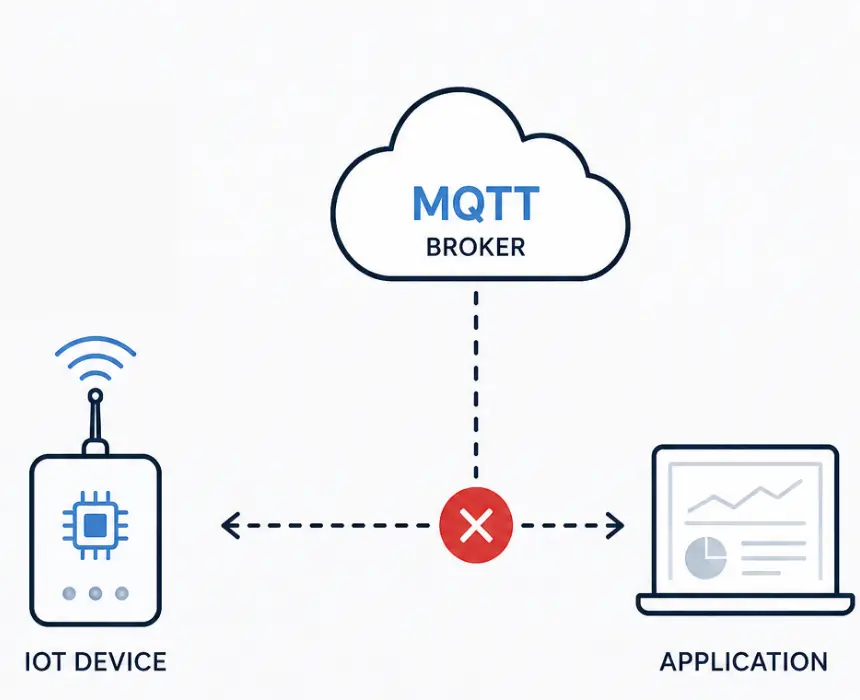
Platform-level differences compound this. AWS IoT Core's device shadow and Azure IoT Hub's device twin both hold the last-known desired and reported state so a device can resync cleanly after a drop, but neither replaces the local queuing logic that has to run on the device itself. A cellular carrier's IoT SIM management console gives you network-level visibility into signal strength and session drops that a generic MQTT broker won't useful for diagnosing whether an outage is carrier-side before you spend engineering time chasing a firmware bug that isn't there.
Platform choice matters, but it doesn't replace the design work above. A well-chosen platform on top of poor firmware-level resilience will still drop devices in the field.
How to Diagnose the Root Cause Before You Redesign Anything
Redesigning hardware because of a firmware bug or rewriting firmware because of a carrier issue wastes weeks. A short diagnostic pass before committing to a fix usually pays for itself.
Pull the telemetry first. Signal strength, battery voltage, and connection-drop timestamps from the affected devices tell you more in an afternoon than a support ticket thread will in a week.
Correlate drops against environment, not just time. Overlay disconnect events against shift changes, equipment startup cycles, or weather a pattern tied to a recurring event points at interference or power, not a random firmware fault.
Isolate one variable at a time. Swap a single device's antenna, firmware build, or SIM independently rather than changing all three at once. Otherwise you'll fix the symptom without knowing which change actually mattered.
Reproduce the failure in the field, not the lab. A device that behaves perfectly on a bench and fails on-site almost always fails because of something the bench can't replicate - enclosure material, RF noise, or a specific carrier cell tower.
This is close to what CoreFragment runs during a connectivity audit for clients troubleshooting an existing deployment - most of the time, the root cause turns out to be one of the four categories above, not the platform itself.
Signs Your Field Connectivity Design Needs Rework
Some symptoms are easy to write off as one-time flukes. Patterns across multiple devices usually mean the design itself needs attention, not just a firmware patch on the affected units.
Devices show as "offline" in your platform dashboard for windows longer than a few minutes with no clear cause.
Battery drains noticeably faster in the field than in bench testing.
Support tickets mention devices "coming back to life" after a manual reboot.
Data gaps appear in historical logs that line up with known low-signal periods, not actual downtime.
The same handful of devices account for a disproportionate share of your disconnect events, suggesting a site-specific interference issue rather than a fleet-wide firmware bug.
If more than one of these is true, the fix is very likely in firmware-level resilience, not platform selection.
FAQ on IoT Connectivity
Why does my IoT device show as connected but stop sending data?
This usually points to a firmware issue rather than a network one - the modem may report an active connection while the application-layer session has silently failed. Explicit health checks at the application layer, not just the radio layer, catch this.
Does switching connectivity platforms fix field drop-off issues?
Rarely on its own. Platform choice affects how reconnections and message queuing are handled, but if the root cause is antenna placement, power management, or firmware retry logic, no platform migration will resolve it.
How do you test IoT connectivity before a full field deployment?
Run a pilot in the actual deployment environment inside the real enclosure, in the real location not just on a bench. Signal behavior through metal, concrete, or foliage can't be accurately predicted from lab conditions.
What's the cost of redesigning connectivity for a device already in the field?
It depends on whether the fix is firmware-only (a retry logic or local-queuing update, deployable via OTA) or requires hardware changes like antenna or enclosure redesign, which means a physical revision. Get a diagnostic review before assuming it's a hardware problem.
Can local data queuing fully solve intermittent connectivity?
It solves data loss during a drop-off, but not the drop-off itself. Queuing is a mitigation, not a fix for the underlying signal, power, or network issue causing the disconnects.
Should I use cellular or LPWA for a remote field deployment?
It depends on how much data each device needs to send. Cellular handles larger payloads and lower latency but draws more power; LPWA networks like LoRaWAN sip power for years on a small battery but only suit small, infrequent messages. Mixing both — LPWA for routine telemetry, cellular for occasional larger uploads is common in remote industrial and agrotech deployments.
The Bottom Line
Most IoT connectivity failures in the field aren't platform problems - they're design problems that show up after deployment because they were never tested in real conditions. Antenna placement, power management, and firmware-level resilience matter more than which platform sits behind the connection.
If devices in your fleet are dropping off and you're not sure whether it's hardware, firmware, or the platform, CoreFragment's team will help you in solving field problems. Get in touch through our IoT engineering page and we'll help you find the actual cause before you invest in the wrong fix.
Author
Have Something on Your Mind? Contact Us : info@corefragment.com or +91 79 4007 1108

Related articles